Konia
Download App
For running clubs

One app for your running club

Plan track sessions with pace targets, follow the race season, and keep members, documents and fees in one place.

01

Build the session once

A structured workout says what to do, step by step, on the phone or on the watch.
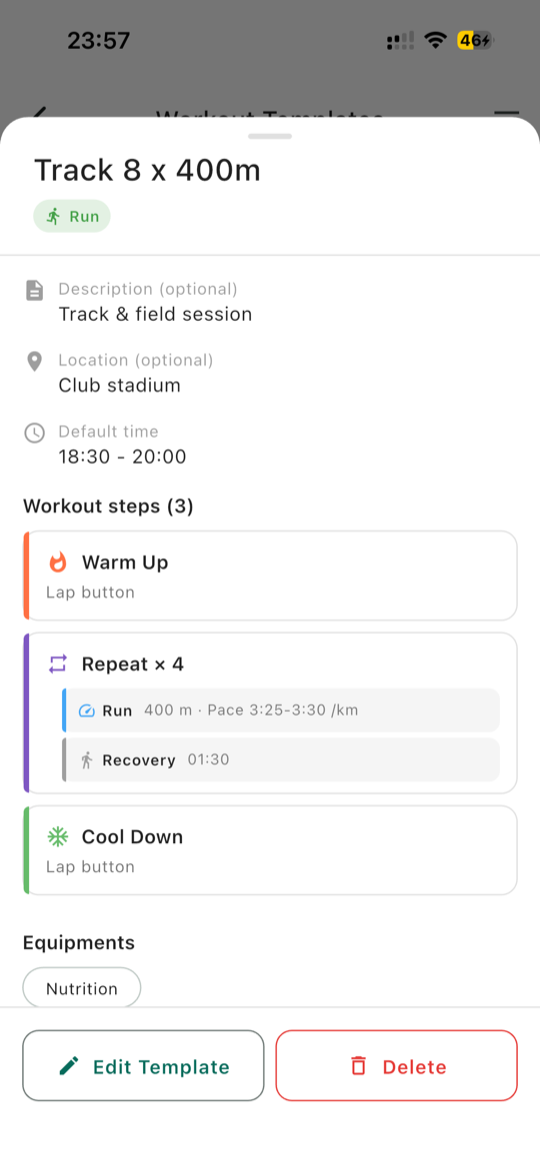
  • Warm-up, intervals, recovery and cool-down, with repeats so 8 x 400 m stays one block
  • A pace range on each step, in minutes per kilometre or per mile
  • End a step on duration, distance or the lap button
  • A note on each step, for the coaching a number cannot carry
All details5
  • Heart rate zones 1 to 5 and power zones 1 to 7 as targets
  • Templates that belong to the club, so every coach can use them
  • Duplicate a session, or start from a template
  • Recurring sessions, with one week changed without touching the rest
  • Units follow your club setting, so everyone reads the same pace
Guide: Build a structured workout
Track 8 x 400 m template: warm-up, a repeat of run and recovery with a pace range, and cool-down
02

What reaches each watch

Each runner sends the session to their own watch, with its steps and pace targets. Here is where it goes.

Garmin Connect

Lands in your Garmin Connect calendar on the day of the session and in your workouts. Your watch gets it at its next sync. Routes can be sent too.

COROS

Lands in your COROS training calendar on the day of the session, from today up to 90 days ahead. Open the COROS app to sync it to the watch.

Suunto

Reaches your Suunto account first. Open the Suunto app to sync it to the watch, where a 400 m rep counts down as you run.

Apple Watch

Needs an iPhone. A future session with a fixed start time appears on your Watch by itself on the day, in the Workout app, in its own Konia section.

Good to know

Only a session with a structured workout can go to a watch. One with only a description has nothing to send.

Guide: Send a training to your watch
03

Coach several groups at once

Track group, marathon group, beginners: each gets its own sessions and news.
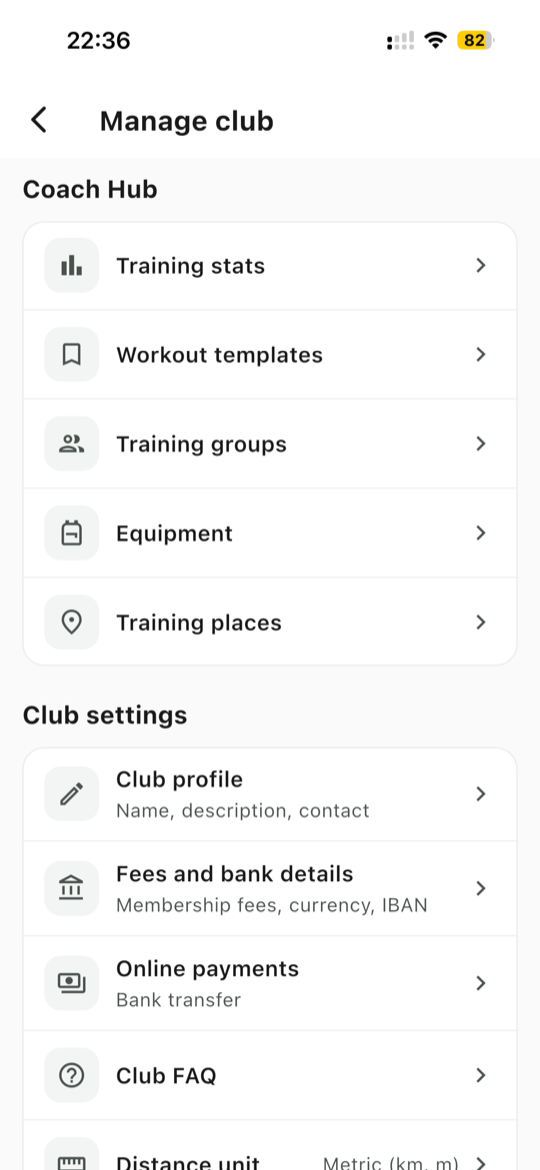
  • Training groups by level or goal, with a filter on the trainings and members lists
  • A session for one group notifies only that group
  • Several coaches, with one assigned to each session
  • Stats for coaches: participation, attendance by group and inactive members
Guide: Set up training groups
Manage club: Coach Hub with training stats, workout templates, training groups, equipment and training places
04

Follow the race season

Every club race in one list, from the entry fee to the results.

  • Who is going, with the meeting point, departure, contact person and accommodation
  • Entry fees and trip costs collected on the race
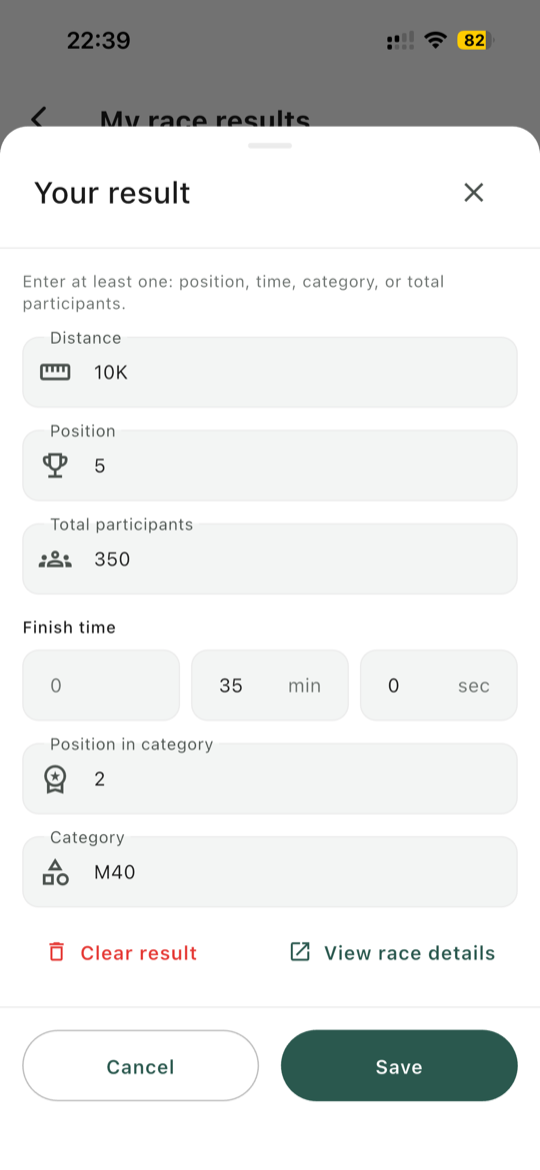
  • Results with finish time, distance, overall position, total participants and category, such as M40-44
  • Coaches can enter or correct a result, for times collected at the finish line
Good to know

Each race has one list. If your club ran the 10K and the half at the same event, everyone is on it, with their distance next to their name.
Guide: Log your race result
Race result form for a 10K: distance, position, total participants, finish time and category
05

Members, documents and fees

The membership spreadsheet moves into the app, next to each member.
  • Import your roster from a spreadsheet, with renewal dates, payment status and groups
  • An automatic email about 30 days before each renewal, in the member's language, showing the fee
  • Licences and medical certificates: members upload their own, and coaches see what is valid, expiring soon or missing
  • Fees paid in the app by card or bank transfer, straight to the club's account
All details5
  • Up to 10 fee tiers, such as Adult and Student
  • Re-import a file to update members, with no duplicates
  • Imported members who have not signed up yet show as Pending
  • Emergency contacts that only coaches can see
  • Members never see an unpaid flag, only a positive Membership paid chip
Guide: Track memberships and renewals
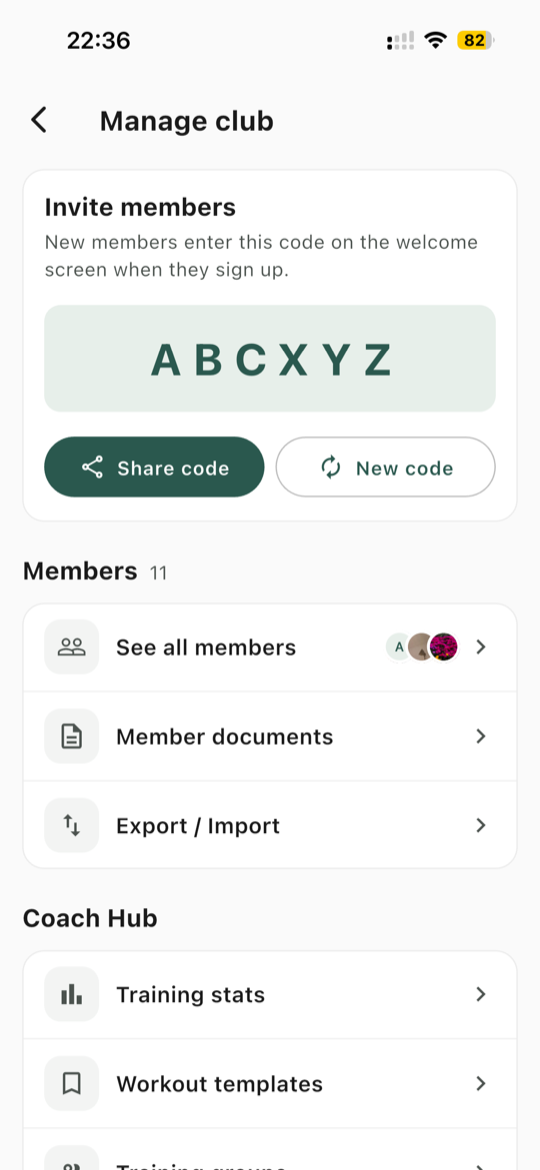
Manage club: the invite code at the top, then See all members, Member documents and Export / Import
06

Do the admin on a computer

The Coach Web Portal is there for the jobs you would rather not do on a phone.
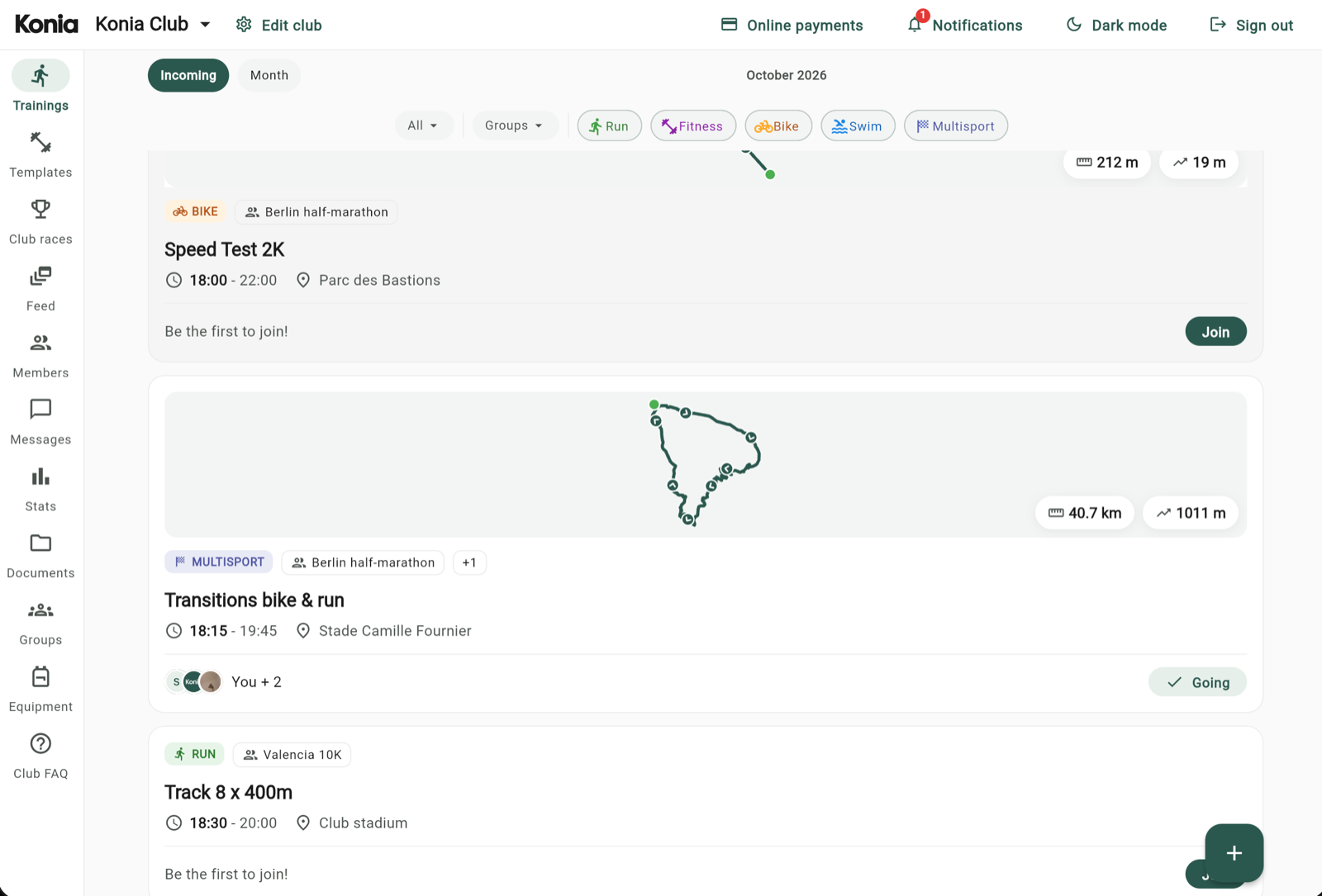
  • A full members table with search, filters and sortable columns
  • Edit renewal dates, payment and groups right from the table
  • Create and edit trainings and club races
  • Import and export members as a spreadsheet
Guide: Import your roster from a spreadsheet Compare: Konia vs Spond
Coach Web Portal on a computer: the trainings list with sport filters and route maps
07

Common questions

What to know before you move your club over.

Which club type should a running club choose?

Running. Running then comes first when you add a training or a race, and the other sports stay available.

Does Konia suit an athletics club?

For its running groups, yes. Konia is built for endurance: races are running, cycling, swimming or triathlon, and there are no jump or throw events.

Can we import our member list?

Yes, as a CSV file from the Coach Web Portal, up to 500 rows at a time. Importing sends no email: it builds the roster, and you still share your invite code. Members need to sign up with the email address you imported.

Where do coaches find the Coach Web Portal?

The app shows its address: My Club > Manage club > Export / Import, in the Members block.

Do zones work for runners of different levels?

Yes. Only the zone number goes to the watch, and each runner's own watch settings decide what it means. Konia stores nobody's threshold or max heart rate.

Can members pay their fees by card?

Yes, in the countries Konia supports: your club connects its own Stripe account and the money goes straight to your bank. Konia never holds it. Otherwise, members pay by bank transfer.

Can juniors use Konia without their own phone?

Yes. A parent registers the child from their own profile, signs them up to trainings and races, and pays for them. Renewal emails go to the parent.

See everything Konia does for clubs

Trainings, races, members, payments and the Coach Web Portal, in detail.

See For clubs
Runners taking water from volunteers at a race

Bring your running club to Konia

Konia is free to download, on iOS and Android.