Konia
Download App
For swimming clubs

One app for your swimming club

Plan pool and open-water sessions, write workouts with strokes and swim kit, and keep members, parents and fees in one place.

01

Plan pool and open-water sessions

Every session in one calendar, at the pool or at the lake.
  • Recurring sessions, with one week changed without touching the rest
  • Saved training places with a photo, a description and a map link, for the pool and the lake
  • An equipment list on each session, from goggles to wetsuit
  • One tap to join, and a notification to everyone signed up if a session is cancelled
All details4
  • Attach a PDF or an image up to 5 MB, such as a printed workout
  • Free time, for a swim members do at their own hour that day
  • Comments on each session, for questions before you meet
  • A calendar feed that adds your sessions to your phone calendar and stays in sync
Guide: Schedule a training
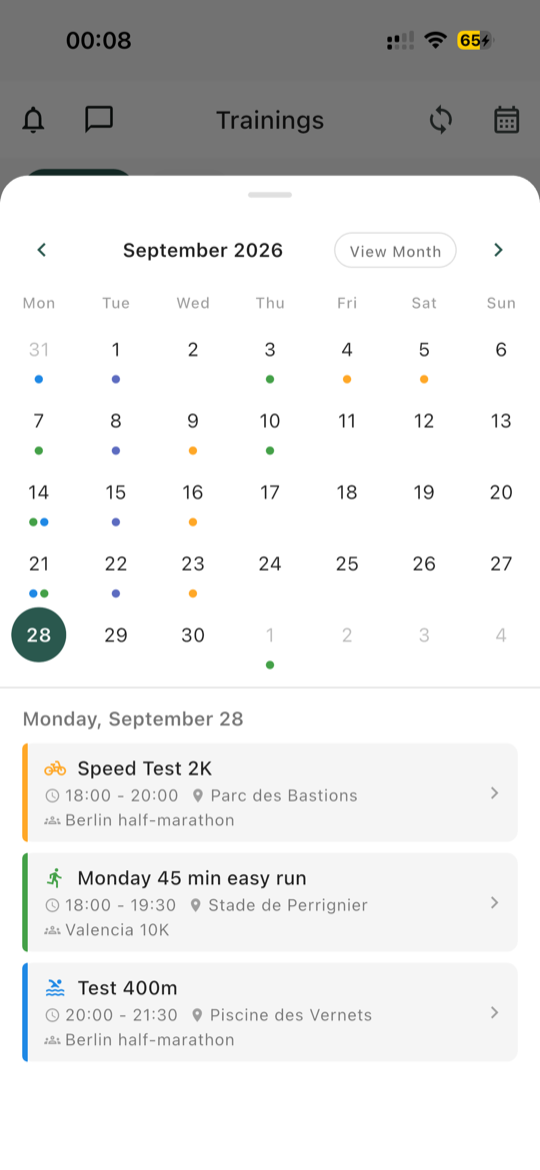
Training calendar for the month, with a ride, a run and a swim on the selected day
02

Write the workout once

Each step says what to swim, in which stroke and with which kit.

  • Pool length on each session: 25 m, 50 m, 25 yd or open water
  • A stroke on each step: freestyle, breaststroke, backstroke or butterfly
  • Swim kit on each step: fins, pull buoy, hand paddles, front snorkel or kickboard
  • A pace per 100 or a heart rate zone as the target
  • Repeats, so 10 x 100 stays one block, with rest steps between efforts
  • Templates that keep the pool length, shared by all your coaches
Guide: Build a structured workout
03

What reaches each watch

Swimming is where watches differ most, so check this before you count on it.

Garmin Connect

Pool swims only. The pace range becomes one pace, its midpoint, with the range written in the step's notes. Heart rate zones are written there too.

COROS

No swim workouts. COROS cannot receive them from other apps yet.

Suunto

Pool and open-water sessions. Pool length comes from your watch's own settings, not the session, and zone targets show as text.

Apple Watch

Pool and open-water sessions, from an iPhone. Each step arrives with its distance or duration and its target. With no coach note, the stroke and kit become the step name on iOS 18 or later.

Guide: Send a training to your watch
04

Split by level or age

Training groups keep each group informed, without extra chats.

  • A group for each level or age group, and coaches decide who is in it
  • A session for one group notifies only its members
  • Posts and messages can go to one group, and members can filter the list to their own
  • Stats for coaches: participation, attendance by group and inactive members
Good to know

Konia has no cap on sign-ups and no waiting list. Groups decide who is notified, not who can attend, so a full lane stays for the coach to manage.
Guide: Set up training groups
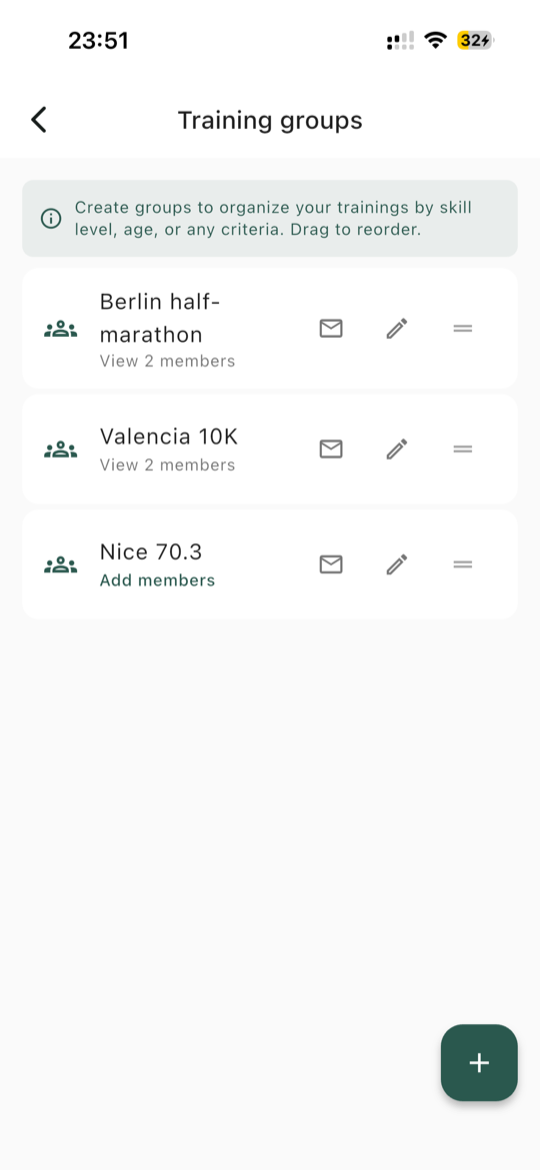
Training groups: a list of groups and their members
05

Take the club to meets and races

Add the event once, and everyone has the same details on the day.

  • Club races with a list of who is going
  • Meeting point, departure, contact person and accommodation for the trip
  • Entry fees and trip costs collected in the app, and paid straight to your club
  • After the event, everyone adds their time, distance, position and category to one list
Good to know

Konia organises your club's trip and results. It does not handle meet entries, heats or timing.
Guide: Plan a club race
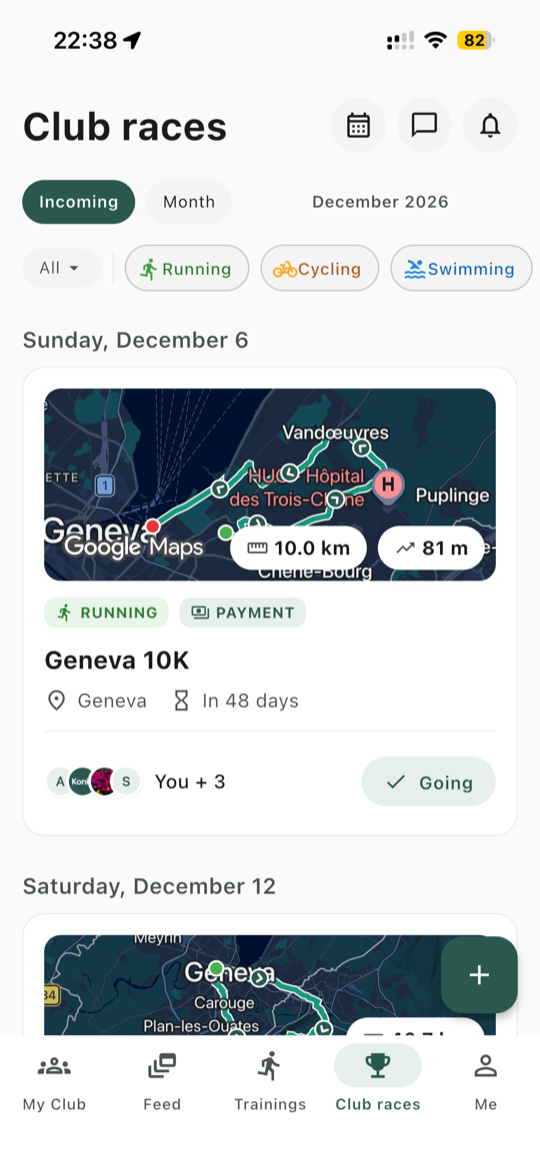
Club races list with its sport filters: each race with who is going
06

Juniors, parents and fees

The admin every club has to do, in the same app.
  • Parents add a child from their own profile, sign them up and get their notifications
  • Renewal emails go to the parent, about 30 days before the date, with the fee
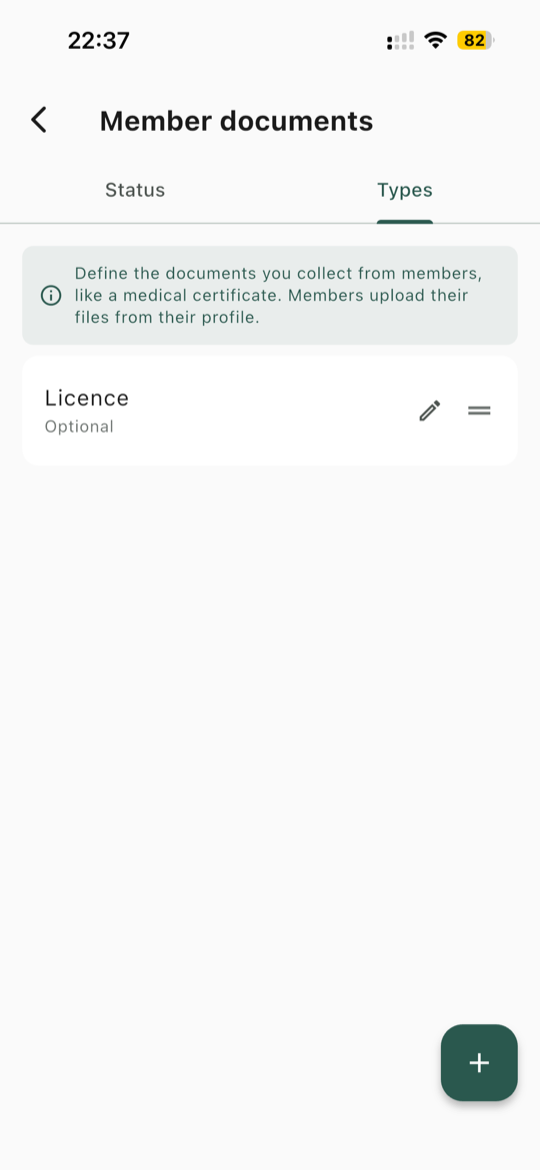
  • Licences and medical certificates: members upload their own, and coaches see what is valid, expiring soon or missing
  • Emergency contacts that only coaches can see, and call in one tap
Guide: Track memberships and renewals
Member documents: the club lists the documents it collects, here a licence
07

Common questions

What to know before you move your club over.

Which club type should a swimming club choose?

Swimming. New trainings then start on swimming, it comes first when you add a race, and the other sports stay available.

Can we limit the number of swimmers in a session?

No. Konia has no sign-up cap and no waiting list. Coaches see who is coming, and a lane limit stays with them.

Which watches take an open-water session?

Suunto and Apple Watch. Garmin Connect takes pool swims only, and COROS takes no swim workouts yet.

Can we add a route to an open-water swim?

No. Routes are for running, cycling and multisport sessions. For a swim, use a training place with a photo and a description, or attach a PDF or an image.

Does Konia handle meet entries or heats?

No. Konia coordinates who is going, the trip and the results. Entries, heats and timing stay with the organiser.

Can juniors use Konia without their own phone?

Yes. A parent adds the child from their own profile, signs them up to trainings and races, and pays for them. The child has no login of their own.

Is Konia free?

Konia is free to download. If you collect money by card, Stripe's processing fees apply, and Konia takes nothing by default.

See everything Konia does for clubs

Trainings, races, members, payments and the Coach Web Portal, in detail.

See For clubs
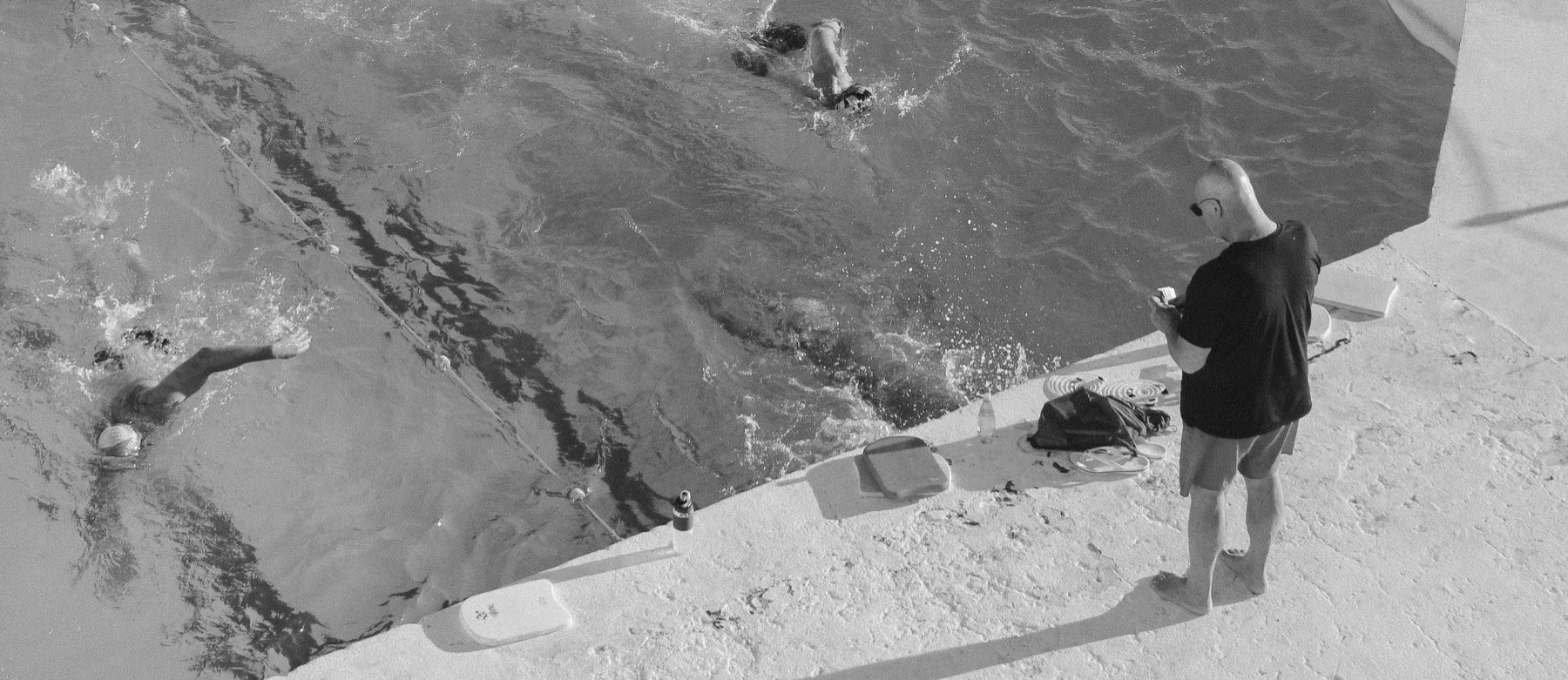
Swimmers in the lanes of a pool, seen from above

Bring your swimming club to Konia

Konia is free to download, on iOS and Android.