
Konia
Download App
Running groups and run clubs

One app for your running group

For run clubs, groups of friends and company teams: the weekly run, who is coming and the plan in one place, with no committee and no spreadsheet.

01

Start in two minutes

You need a name and a sport. No association, no committee, no paperwork.
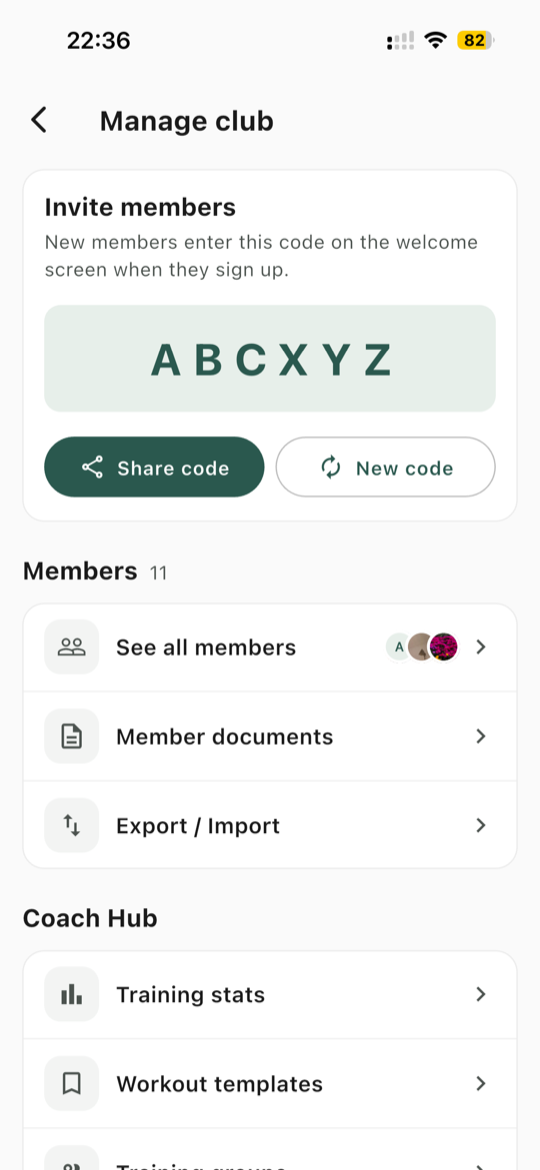
  • Konia calls every group a club: give yours a name and choose Running
  • One invite code for everyone, shared by SMS, email, WhatsApp or any other app
  • People join straight away, with nothing to approve, and the code does not expire
  • Members can invite friends themselves, and one login works across several clubs
Guide: Invite your members
Manage club: the invite code at the top, then the members list
02

Set up the weekly run once

Then everyone knows where to be, and you know who is coming.
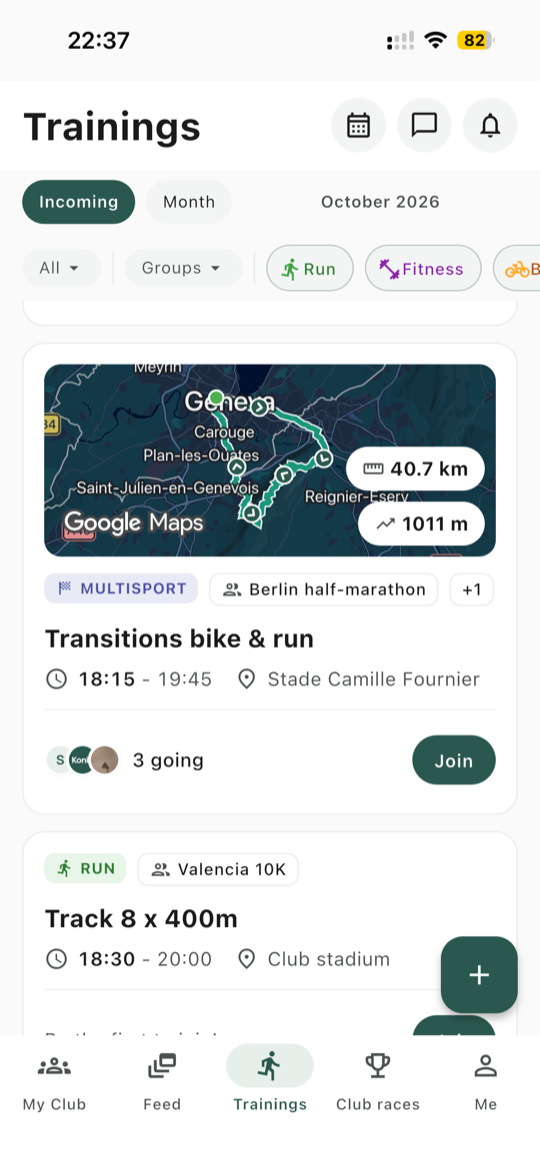
  • Recurring trainings: Tuesday and Thursday are one series, and you can change a single week without touching the rest
  • A saved place with its photo and map link, and a GPX route on a map with distance and elevation gain
  • One tap to join, or to say you can't make it with an optional reason, and the faces of who is going show on the list
  • Cancel a run and everyone signed up gets a notification
All details4
  • Free time, for a long run members do at their own hour that day
  • Comments on each run, for questions before you meet
  • A calendar feed that adds your runs to your phone calendar and stays in sync
  • Full-screen route with map, terrain and satellite views, and the GPX file to download
Guide: Schedule a training
Trainings list: each session with its route map, who is going and a Join button
03

Keep the plan out of the group chat

The chat can stay for everything else. The time, the place and the route go where people can find them.
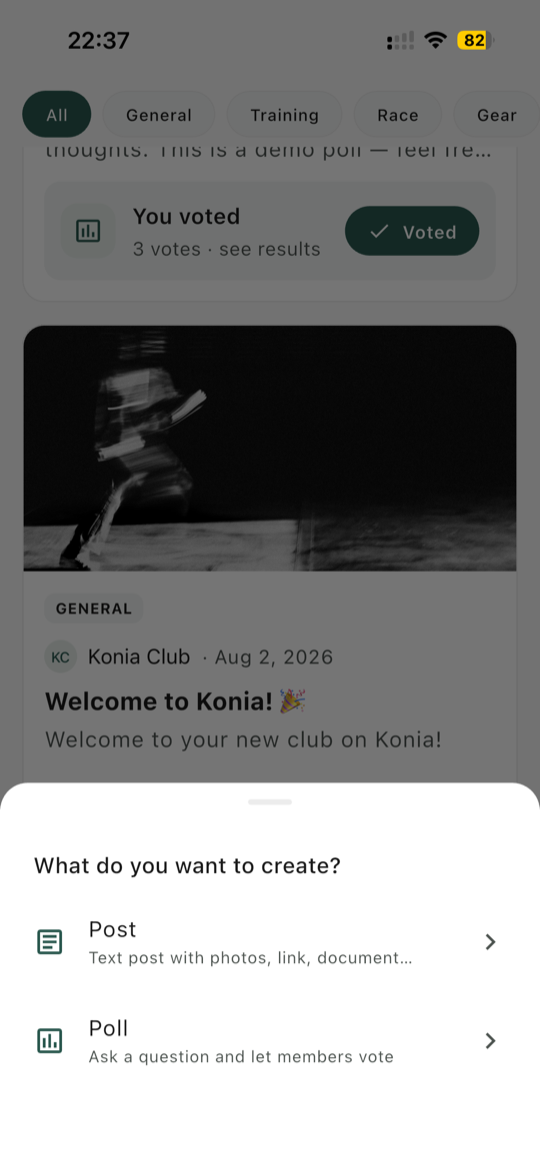
  • A club feed for news, photo galleries, reactions and comments
  • Polls to pick a day or a restaurant
  • Group messages, and private chats between members, without sharing phone numbers
  • Push notifications for new runs and changes
Compare: Konia vs WhatsApp Compare: Konia vs Strava
Club feed with a poll, and the menu to create a post or a poll
04

Split by pace

Training groups keep each pace group informed, without extra chats.

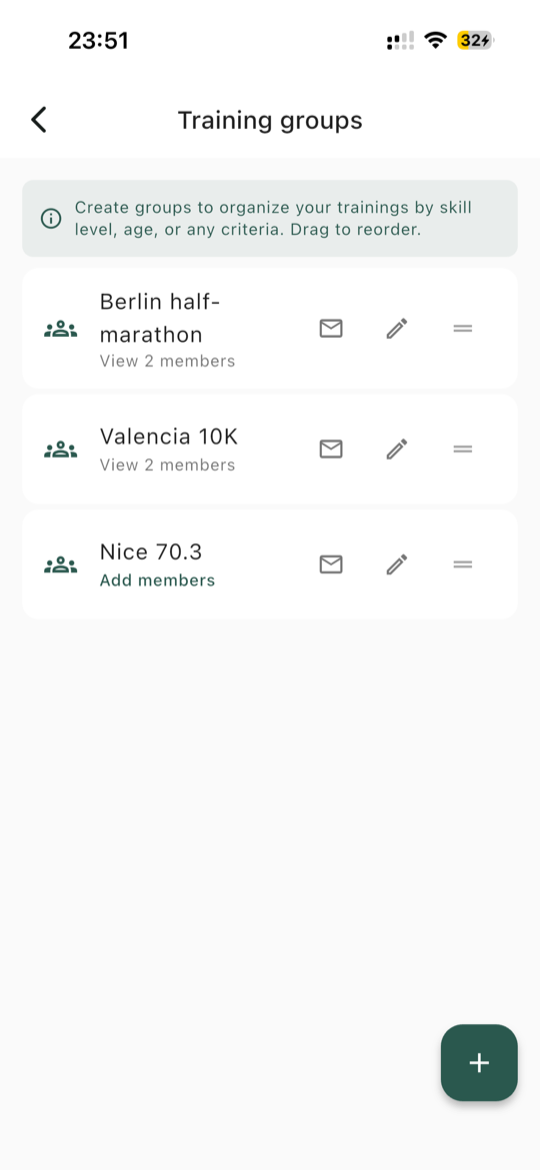
  • A group for each pace or target race, and coaches decide who is in it
  • A run for one group notifies only its members
  • Posts and messages can go to one group, and members can filter the run list to their own
  • Track sessions with a target pace on each step, which members send to Garmin Connect, COROS, Suunto or Apple Watch
Good to know

Groups decide who is notified, not who can attend. A member outside the group still sees the run and can sign up.
Guide: Set up training groups
Training groups: a list of groups and their members, here one for each target race
05

Go to a race together

When the group picks a race, everything about the trip stays in one place.
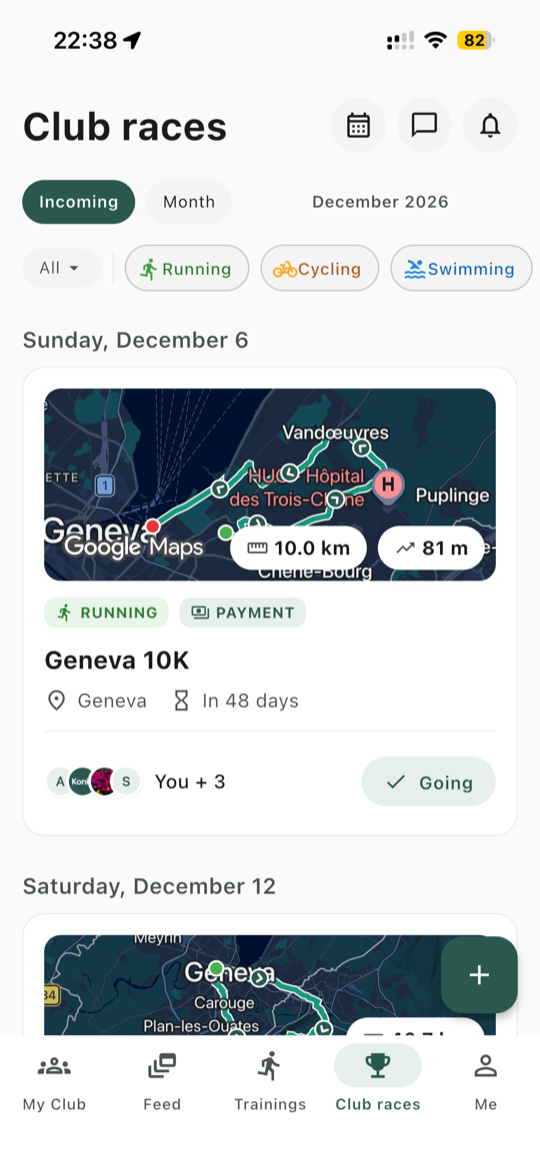
  • Club races with a list of who is going
  • Meeting point, departure, contact person and accommodation for the trip
  • The route on a map, which members can send to Garmin Connect
  • After the race, everyone adds their finish time and position to one list
Guide: Plan a club race
Club races list: each race with its route map and who is going
06

Add the rest when you need it

All of this is optional, and stays out of the way until you set it up.

  • More organisers: make any member a coach, so they can add runs and posts
  • Emergency contacts that only coaches can see
  • Waivers and other documents: members upload their own, and coaches see who is missing one
  • Payment requests on a post, for a kit order or a dinner, paid by card or bank transfer
  • Membership fees and renewal reminders, if you become a paying club
07

Common questions

What to know before you move the group over.

Do we need to be an official club?

No. Konia calls every group a club, but nobody checks. A name and a sport are all you need, whether you are a run club, a group of friends or a company team.

Can someone just turn up and run?

Yes, but the schedule and sign-ups are in the app. Konia has no public page and no guest sign-up, so a newcomer installs the app and enters your code. For a run open to anyone, share the link and the code wherever people already find you.

Why does the app say Coach?

Konia calls anyone who runs the group a coach: the person who creates it, and anyone they add. It is a role in the app, not a qualification.

Can members add a run themselves?

No. Only coaches can add runs and posts. Make your regular leaders coaches, and they can add their own.

Can we keep WhatsApp and Strava?

Yes. Konia does not replace them. Strava stays the place to log your runs, the chat stays for talking, and the plan goes in Konia.

Does a weekly run repeat forever?

Nearly. A series creates up to 52 sessions, so a weekly run with no end date covers about a year. After that, create a new series.

Is Konia free?

Konia is free to download. If you collect money by card, Stripe's processing fees apply, and Konia takes nothing by default.

See everything Konia does for clubs

Trainings, races, members, payments and the Coach Web Portal, in detail.

See For clubs
Two runners on a city street

Bring your running group to Konia

Konia is free to download, on iOS and Android.